Workflow hub
AI photo style transfer from one source image
Change the visual medium while preserving the subject, pose, layout, and recognizable structure of the uploaded image.
Users want to upload a real image and convert it into a recognizable new visual style such as anime, watercolor, oil painting, 3D, comic, or sketch.
Best fit
When to use this workflow
This hub is built for users who already have a source image and need a controlled result instead of a blank-canvas text-to-image output.
Portraits, pets, products, scenes, and creator images that already have a strong composition.
Social avatars, campaign concepts, editorial illustrations, and style tests.
Users who want a new look without losing the uploaded image as the visual anchor.
Workflow tutorial
How to get a better result
Step 1
Upload the source
Start with the real photo, sketch, product shot, or scene you want the result to follow.
Step 2
Choose a style direction
Pick anime, watercolor, oil painting, 3D cartoon, comic, sketch, or write a custom style prompt.
Step 3
Control what must stay
Name the subject, pose, framing, clothing, product identity, or background elements that should remain recognizable.
Step 4
Compare and refine
Review the before/after pair, adjust prompt strength or style direction, then save, share, or download.
Prompt recipes
Use these as starting points, then replace the subject, setting, or channel-specific goal with your own image context.
Anime portrait
Vibrant anime-style portrait, preserve face direction, hairstyle, jacket color, and city background mood, clean cel shading, expressive eyes.
Watercolor scene
Delicate watercolor illustration, visible paper texture, soft pigment edges, preserve the original street scene and morning light.
Oil painting
Classical oil painting, layered brush texture, warm gallery lighting, preserve subject pose, fabric colors, and background layout.
Source image checklist
Examples for this workflow
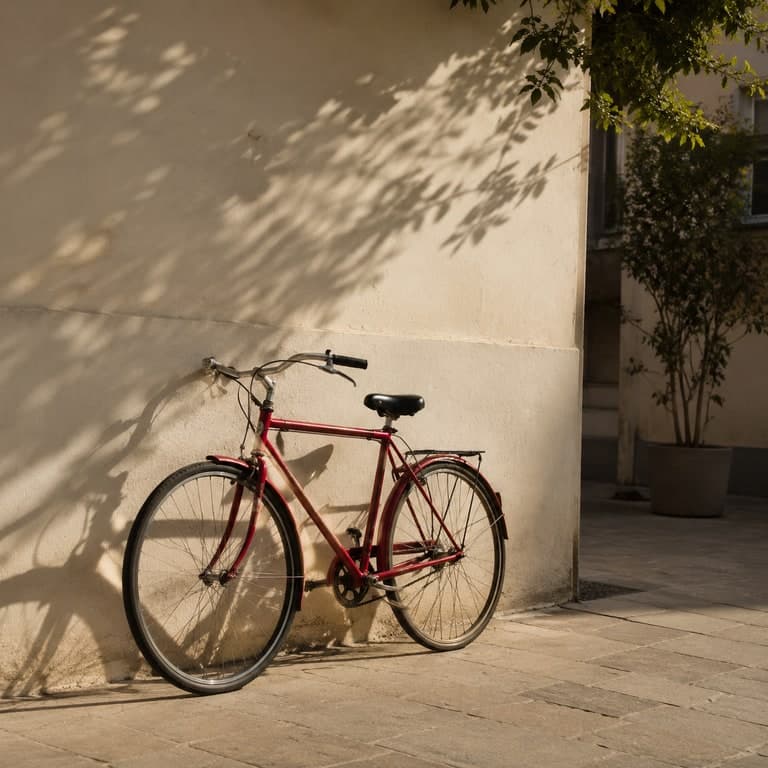
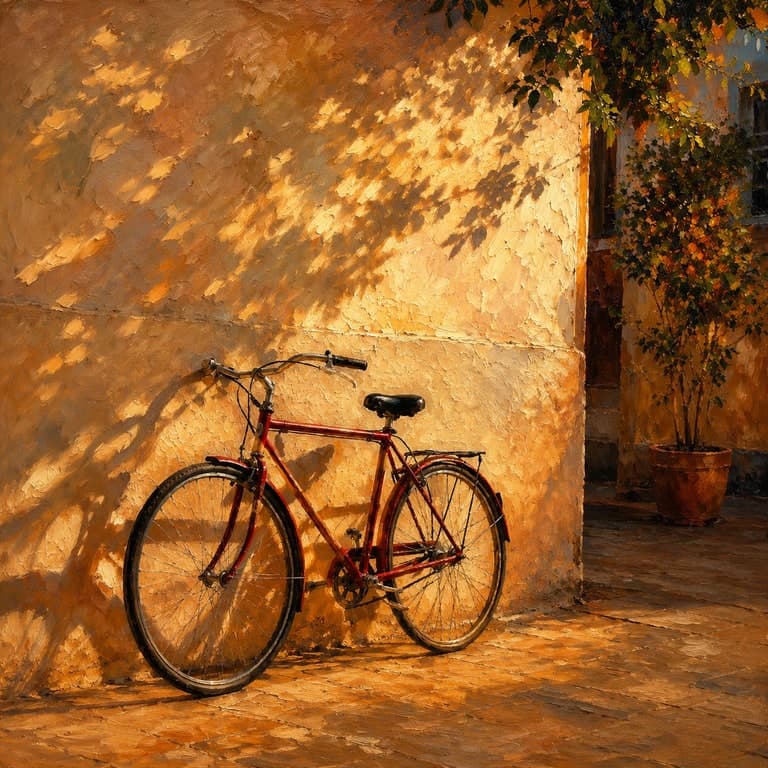
AI photo style transfer example
AI Photo Style Transfer Example
Apply a painted style to a real bicycle photo while preserving the bicycle, wall, shadows, and courtyard composition....
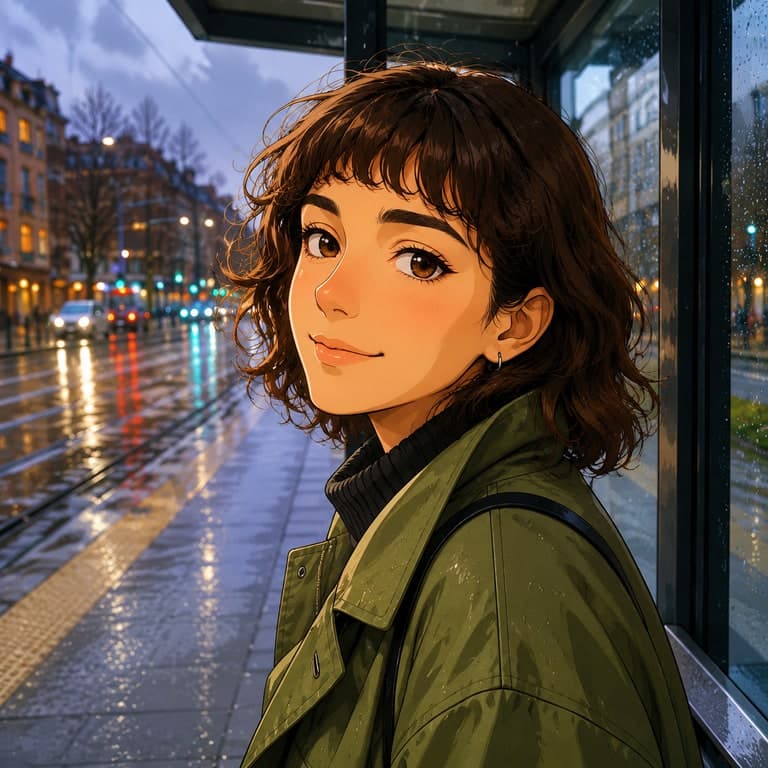
Photo to anime example
Photo to Anime Avatar Example
Turn a real portrait into a clean anime avatar while keeping the person's pose, jacket color, and rainy city mood recogn...
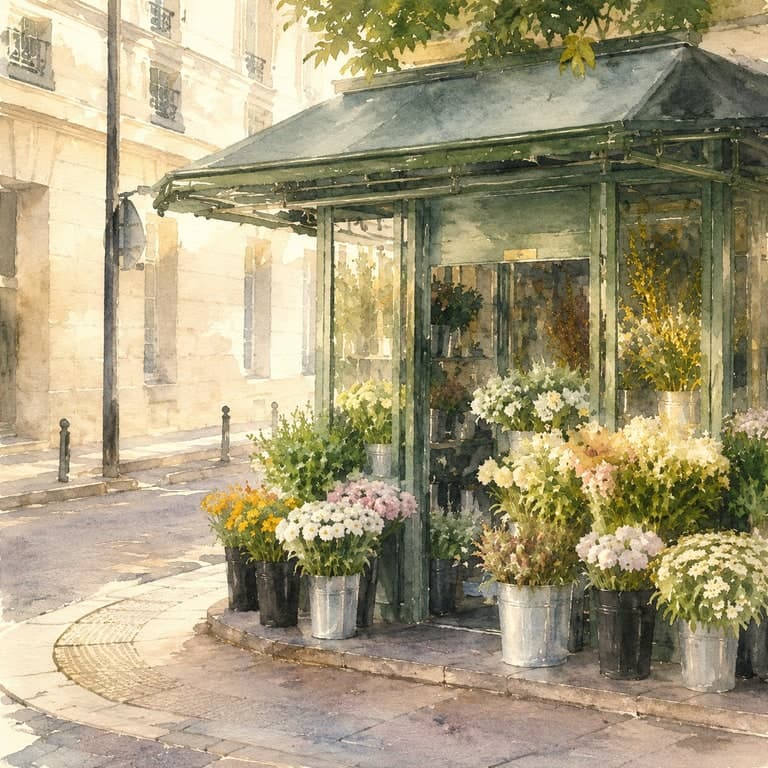
Photo to watercolor example
Photo to Watercolor Illustration Example
Transform a street flower kiosk photo into a delicate watercolor illustration with paper texture and airy morning light....
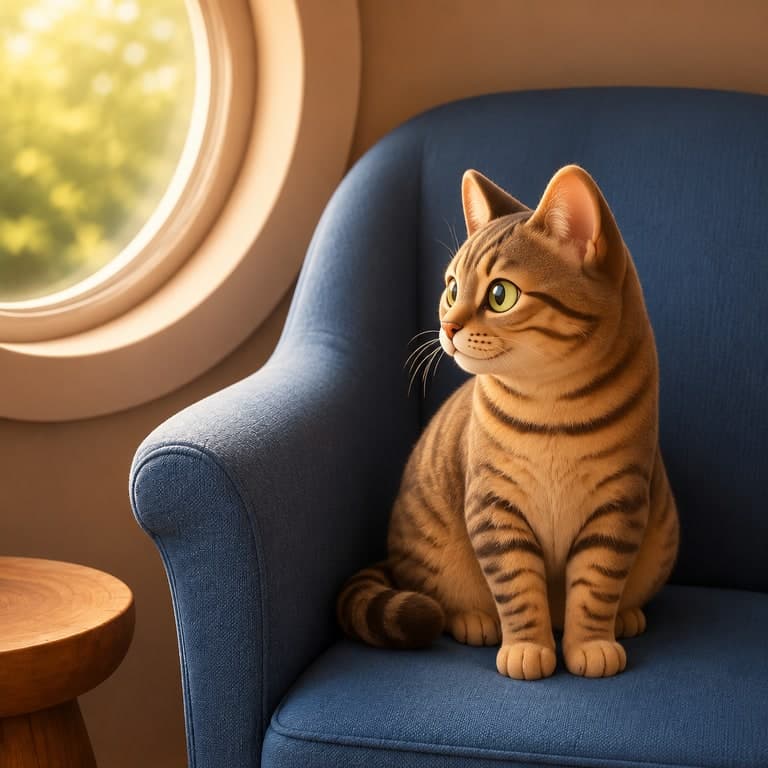
Photo to 3D cartoon example
Photo to 3D Cartoon Character Example
Use a pet photo as the source for a soft 3D cartoon render with the same pose, chair, and cozy room composition....
Workflow FAQ
Will style transfer keep the original photo recognizable?
Yes. The uploaded image acts as the structure. The result can change medium and mood while still following the original subject and layout.
Which plan do I need for high-resolution style transfer?
Free and Starter use standard output. Pro unlocks 2K. Business unlocks 4K-class output and team workflows.